
 Brijesh Desai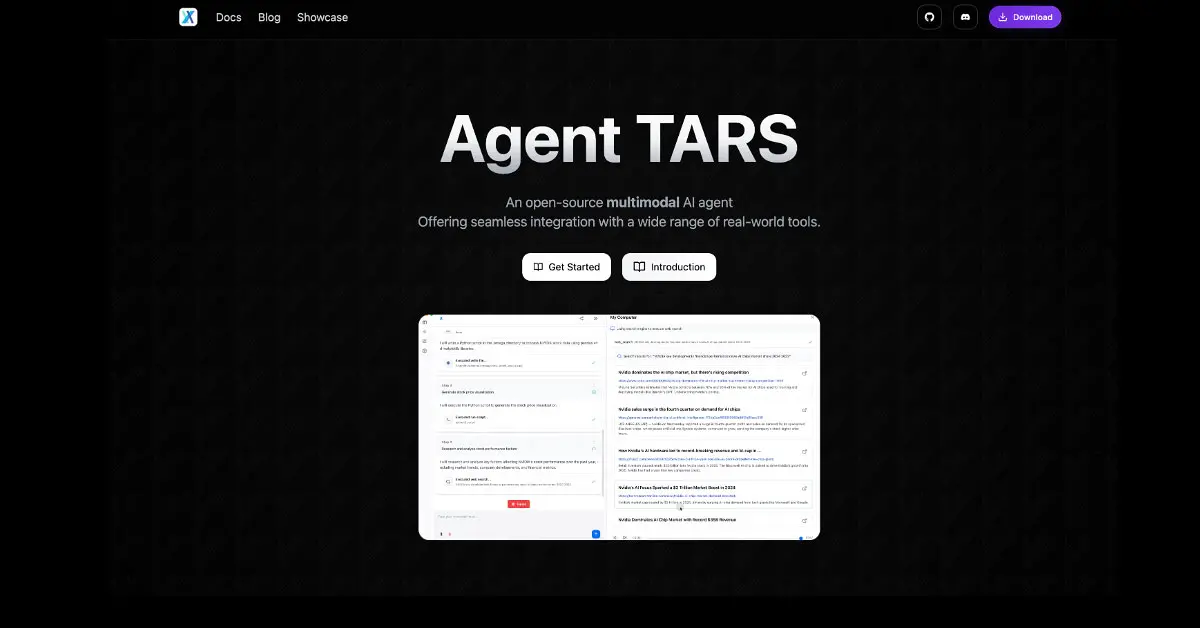
Chinese desktop automation agent UI-TARS from ByteDance runs 100% locally – controls apps, browsers, files offline. 42.5% OSWorld success beats GPT-4o. Free GitHub download beats cloud RPA tools.
Chinese desktop automation agent UI-TARS from ByteDance just rewrote the rules for what AI can do on your personal computer – and it’s 100% open-source, running entirely offline with zero cloud dependency. Forget brittle RPA scripts that break when UIs change. This beast screenshots your screen, reasons like a human, then clicks, types, drags, and navigates any desktop app, web browser, or file system using natural language commands. Install from GitHub, pick 2B/7B/72B model sizes, and suddenly “automate quarterly reports” becomes a single prompt that actually works.
How This Actually Controls Your Computer
Here’s the magic: tell UI-TARS “open Excel, filter Q1 sales by region APAC, export PNG chart to PowerPoint slide 3.” It captures your screen, feeds it to the vision-language model (built on Qwen2.5-VL), identifies Excel icon → launches → navigates ribbons → applies filters → grabs chart → switches to PowerPoint → pastes. No XPath selectors, no API wrappers, no vendor lock-in. Handles Microsoft Office, VS Code, Photoshop, CRM portals, banking apps – anything with pixels.
Benchmarks don’t lie: 42.5% OSWorld success rate (complex multi-step GUI tasks) crushes OpenAI Operator’s 36.4% and Claude 3.5’s 28%. Windows Agent Arena? 42.1% state-of-the-art for open models. AndroidWorld mobile testing hits 46.6% vs GPT-4o’s 34.5%. This Chinese desktop automation agent doesn’t just see screens – it understands context, decomposes tasks, reflects on failures, and self-corrects.
Local Power, Zero Privacy Tradeoffs
Download from github.com/bytedance/UI-TARS-desktop, run on M1 Mac (2B model), beefy GPU (72B), or cloud VM. Supports Claude, DeepSeek, any VLM backend. Your sensitive client data, financials, proprietary designs never touch ByteDance servers – pure air-gapped sovereignty. Enterprises ditch $10K+/seat UiPath licenses for free software that adapts to UI changes automatically.
Real-world demos show it booking flights (browser tabs), editing Figma prototypes, reconciling bank statements across portals, even mini-games. Marketers? Live SERP research → Google Sheets → client deck automation. Devs? PR reviews with actual code fixes. The “System-2 reasoning” breaks complex jobs into sub-tasks with milestone checks – feels like having a junior employee who never sleeps.
Why Western Enterprise Just Got Nervous
I’ve automated workflows since iMacros, and UI-TARS represents an extinction event for traditional RPA. Legacy tools require armies of “selectors” that shatter on updates. Cloud agents leak data to San Francisco. This runs locally, learns from failures, costs nothing. Chinese open-source velocity means weekly improvements – v1.5 added multi-monitor, v2.0 teases voice control.
For digital agencies, imagine autonomous competitors scraping your pricing daily, A/B testing landing pages live, reformatting reports for every client portal. Small teams gain 50x leverage. The offline capability kills latency – no API queues during Black Friday traffic spikes.
Limitations exist: RAM-hungry on video editing, occasional reasoning loops on edge cases (42%→90% upside). But GitHub forks already add industry templates: accounting, video production, sales CRM. Community Darwinism at internet speed.
Western incumbents face a nightmare: their $2B RPA market gets commoditized overnight. UI-TARS proves local AI isn’t compromise – it’s superior for control-heavy enterprise tasks. Agencies sleeping on this will wake up obsolete.
UI-TARS 1.5 FAQ: Your Guide to ByteDance’s Open-Source Desktop AI Agent
Got questions about UI-TARS 1.5, the Chinese open-source powerhouse that’s automating desktops like a digital intern? Here’s everything you need – straight answers, no fluff.
What is UI-TARS 1.5?
UI-TARS 1.5 is ByteDance’s latest vision-language model agent that takes full control of your computer screen. It sees your desktop via screenshots, understands context, and performs actions like a human – clicking, typing, navigating apps – all locally without cloud help. Free, open-source on GitHub, scales from 2B to 72B parameters for laptops to servers. Launched late 2025, it’s crushing benchmarks for GUI automation.
How Does UI-TARS 1.5 Work?
It captures your screen, processes pixels through Qwen2.5-VL (or your VLM choice), reasons step-by-step, then simulates mouse/keyboard. “System-2” planning breaks tasks into sub-steps with reflection – if Excel crashes, it retries or switches apps. Runs via VNC for remote, direct capture for local. No brittle selectors; adapts to UI changes dynamically.
Example Tasks UI-TARS 1.5 Handles
-
Office grind: Open Excel → filter sales data → chart → paste to PowerPoint → email.
-
Web workflows: Browse Amazon → add cart → checkout simulation.
-
Creative: Photoshop layer edits, Figma prototypes.
-
Dev ops: VS Code debugging, PR fixes.
-
Gaming: Simple quests in indie titles.
Demos show 10-minute jobs in 2 prompts.
The Tech Stack Powering UI-TARS 1.5
Built on Qwen2.5-VL for vision (screen parsing), with modular backends (Claude, DeepSeek). Key innovations: hierarchical planning, error reflection loops, multi-modal grounding. Supports Windows/Mac/Linux/Android. GitHub repo includes Docker setup for 1-click deploy.
UI-TARS 1.5 vs. OpenAI CUA and Claude 3.7
| Agent | OSWorld Score | Windows Arena | Local Run? | Cost | Open-Source? |
|---|---|---|---|---|---|
| UI-TARS 1.5 | 42.5% | 42.1% | Yes | Free | Yes |
| OpenAI CUA | 36.4% | 38% | No | API fees | No |
| Claude 3.7 | 28% | 32% | Partial | API fees | No |
UI-TARS wins on adaptability, privacy, zero cost.
Key Tasks Where UI-TARS 1.5 Excels
Complex multi-app flows: CRM updates from spreadsheets, report generation across browsers/tools, test automation without code. Shines in dynamic UIs (pop-ups, modals) where RPA fails.
How to Get Started with UI-TARS 1.5
-
git clone https://github.com/bytedance/UI-TARS-desktop -
pip install -r requirements.txt -
Set API key (local model or Claude).
-
mpm agent-tars li at latest– launch interface. -
Prompt: “Automate my inbox sorting.” Done. M1 Mac minimum; RTX 3060 for speed.
Unlimited Benefits of UI-TARS 1.5
-
Privacy: Zero data leaves your machine.
-
Cost: Free vs $10K RPA seats.
-
Adaptability: UI changes? It screenshots anew.
-
Scale: 600M X users train similar ByteDance models indirectly.
-
Enterprise ROI: 10x junior staff productivity.
Downsides: GPU hungry, loops on ultra-complex logic (improving weekly).
UI-TARS 1.5 isn’t gadget – it’s workflow revolution. Devs, marketers, ops teams: test it today. GitHub’s on fire for a reason.
Grab it now. This Chinese desktop automation agent isn’t future tech – it’s your new intern, and it’s free forever.