
 Brijesh Desai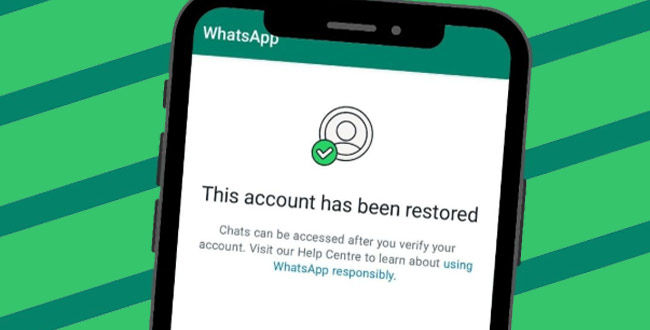
Unlock the secrets to recovering and preventing bans on your WhatsApp Business account. Learn detailed, expert-backed solutions for “Your Account Cannot Use WhatsApp” errors and never lose touch with your customers again.
When Your WhatsApp Business Account Gets Banned: Here’s What’s Really Happening
There’s nothing quite like that heart-sinking moment when you log in and see the dreaded message: “Your account cannot use WhatsApp.” For businesses, this isn’t just a mild inconvenience—it’s a full-on crisis. Your customers can’t reach you, your orders freeze, and your entire sales funnel could come grinding to a halt.
But why does it happen? More importantly, what can you actually do to get your WhatsApp Business account unbanned—for good?
Common Reasons for WhatsApp Business Account Bans
While WhatsApp rarely gives a line-by-line rundown of why an account gets banned, there are definitive patterns to look out for:
- Policy Violations: Sending out unsolicited marketing, spam, or large-scale bulk messages? Those are the classic red flags that can get accounts suspended.
- User Reports: Multiple users reporting your number for spam, inappropriate content, or harassment will get Meta’s attention fast.
- Automation Tools and Unofficial Apps: Using unauthorized WhatsApp add-ons, automation tools, or modded APKs is a direct ticket to a ban.
- Impersonation and Fraud: Any hints of impersonating another person or business, promoting scams, or sharing misleading/fraudulent content can result in brutal, sometimes permanent bans.
- Intellectual Property Breaches: Sharing, distributing, or promoting pirated, stolen, or otherwise unauthorized materials will quickly run afoul of WhatsApp’s terms.
And yes, technical glitches or false positives in the system can occasionally get even rule-abiding businesses banned.
“An account might be banned if we believe the account activity violates WhatsApp’s Business Terms of Service or other applicable policies. If you think your account was banned by mistake, you can request a review.”
— Official WhatsApp Team
Step-by-Step: How to Unban Your WhatsApp Business Account
Here’s the most effective, up-to-date process for getting your business back online—even if you’re facing a permanent ban.
1. Request a Review Within the App
- Open WhatsApp Business and enter your registered number.
- The app will show a notification about your ban. Tap the Support or Request a Review option.
- Compose a brief, polite message explaining your situation. Include your phone number and why you believe the ban is a mistake. You can even attach screenshots if you like.
- Submit and wait patiently. WhatsApp typically responds within 24–48 hours, though for permanent bans it may take a bit longer.
2. Email WhatsApp Support Directly
If you can’t access the app (or want to escalate), email the WhatsApp Business support team at smb_web@support.whatsapp.com / grievance_officer_wa@support.whatsapp.com
Include these details:
- Registered phone number (with country code)
- Brief summary of your business and WhatsApp use-case
- Explanation of why you believe the ban was unjust
- Any relevant evidence showing you didn’t violate the rules
Here’s a handy template:
Subject: Request to Unban My WhatsApp Business Account
Dear WhatsApp Support Team,
My WhatsApp Business account was recently banned, and I believe this is a mistake. I strictly adhere to WhatsApp’s policies and would appreciate your help in reviewing and reinstating my account.
Please let me know if you need any further details.
3. Contact Your WhatsApp Business Solution Provider (BSP)
If you work with an official WhatsApp Business Solution Provider (like Interakt, WATI, or Omnichat), ask their team to intervene and file a formal review request on your behalf. BSPs may get preferential attention and faster resolution in some cases.
4. Troubleshooting: When All Else Fails
- Change Your Number: If your appeal is denied but you absolutely have to get back on WhatsApp, consider registering a new WhatsApp Business account with a different phone number. This isn’t ideal—customers may be confused, and a new number can look suspicious—but it’s a last resort.
- Check for Technical Problems: Sometimes bans are triggered by faulty cache, outdated apps, or software bugs. Try clearing your app cache, updating, or reinstalling WhatsApp. Then, re-attempt the standard unban process.
- Use a VPN: If your IP address is blocked due to regional bans or blacklists, switch to a VPN and retry logging in.
How Long Does the Review Take?
Most unban reviews get answered within 24–72 hours. For some appeals, especially those involving complex investigations or repeat violations, it may take several days or—rarely—a week. Resist the urge to spam their inbox or app support; it doesn’t help and can actually slow things down.
What If My WhatsApp Business Account Is Permanently Banned?
A permanent ban means you can’t use WhatsApp with that number again—full stop. Your best options are:
- Switch to a new phone number (see above).
- Ensure your new number strictly follows WhatsApp’s commerce policy and messaging rules. Always get customer opt-in before sending any business messages.
- Regularly back up your chats via Google Drive or iCloud. That way, if you must change numbers, you can restore critical business conversations and contacts.
Pro Tips: How Businesses Can Avoid Getting Banned on WhatsApp
It might sound obvious, but prevention is always better than cure. Here’s how to keep your WhatsApp Business account as ban-proof as possible:
- Obtain Customer Consent: Never message contacts who haven’t explicitly opted in.
- Avoid Bulk Messaging: Don’t blast generic promos to hundreds of users at once—use WhatsApp-approved features for marketing, and let recipients unsubscribe easily.
- Use Official APIs and Tools: Avoid unofficial mods and automation. Stick with Meta-approved solutions and integrations.
- Respond to Reports: If users complain about your messages, resolve issues professionally and adjust your outreach.
- Stay Updated: WhatsApp’s policies evolve quickly. Schedule a monthly review of their latest terms and acceptable use policies.
If you’re trying to recover your WhatsApp Business account but running into roadblocks, you can start by heading over to the official WhatsApp Help Center ‘contact page‘ and submitting the provided contact form. Just fill in your details, describe your issue clearly, and attach any relevant information to support your case.
However, some users have reported that this particular page might not be available in every country—so if you see a “page not available” message or don’t get a response within a couple of days, don’t stress. Simply reach out directly by emailing WhatsApp’s support team grievance_officer_wa@support.whatsapp.com . Make sure to include your registered phone number along with a brief, polite explanation of your situation. This two-pronged approach can often get you faster, more reliable help when you’re facing an unresolved ban or restriction.
Real-Life Example
After a bakery owner’s business account was flagged and banned for what seemed like bulk messages (even though they were personalized order updates), she appealed through both the in-app review and by emailing support. Within 36 hours, WhatsApp reversed the ban after verifying she wasn’t in violation. Just goes to show—even permanent bans can sometimes be lifted if you’re patient, honest, and thorough.
Wrapping Up: Don’t Let a WhatsApp Ban Wreck Your Business
Having your WhatsApp Business account banned feels like slamming into a wall at full speed. But getting back on track is possible—and sometimes surprisingly straightforward—if you follow the right steps, stay calm, and play by Meta’s rules. Take some time today to review your practices, back up your data, and put compliance front and center. Your business—and your sanity—will thank you for it.