
 Brijesh Desai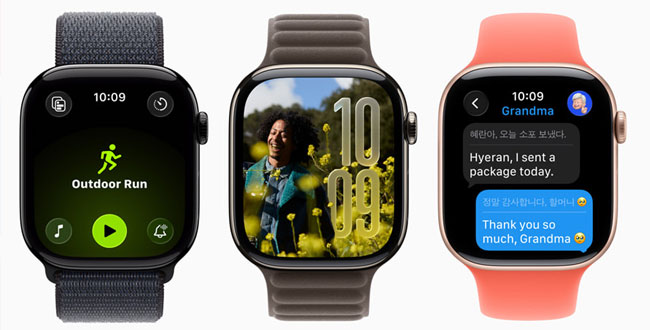
With watchOS 26, Apple debuts a new feature making Apple Watch notifications less disruptive. Discover how Discrete Notifications works, who benefits, and what it means for smartwatch users.
With watchOS 26, Apple debuts a new feature making Apple Watch notifications less disruptive. Discover how Discrete Notifications works, who benefits, and what it means for smartwatch users.
Apple continues to redefine how we interact with technology on our wrists, and this year, it’s tackling one of the biggest tiny annoyances: disruptive notifications. With the anticipated release of watchOS 26, Apple’s rolling out a major improvement—called “Discrete Notifications”—that aims to make smartwatch reminders less, well, interruptive.
Anyone who’s worn an Apple Watch knows the drill: you’re in the middle of a meeting, a workout, or deep focus, and your wrist buzzes or lights up with a notification. Sometimes it’s urgent, but often, it’s just another promotional ping or a nudge from an app you barely use. According to Apple’s own user research, the majority of users want their Apple Watch notifications to remain helpful—without letting them steal attention from important moments. And that’s exactly where Apple’s latest move stands out.
What Are “Discrete Notifications” in watchOS 26?
With watchOS 26, Discrete Notifications promises to elegantly minimize distractions. Instead of the watch lighting up the full display or playing a haptic alert for every single update, notifications will now surface in a far subtler manner when the watch detects you’re busy or in a context where interruptions are unwelcome. That means:
- Lower-brightness banners slide onto the watch face without triggering the full screen.
- Reduced or completely silent haptics for messages considered non-urgent.
- Intelligent context awareness (like Focus modes, workouts, or Sleep Mode) to decide when to hide or mute notifications altogether—essential for meetings, events, or meditation.
The aim isn’t to make you miss information but to let you keep control and stay present, letting the watch work for you, not the other way around.
Why Does It Matter?
We live in an age of perpetual pings and never-ending prompts. While smartwatches were originally designed to keep smartphone interruptions at bay, anyone who’s tried to focus—with their wrist buzzing away—knows that too much tech can backfire.
By making interruptions less aggressive and more in tune with your activity, the Apple Watch closes the loop on a core pain point for many professionals, athletes, students, and, let’s be honest, distracted parents. In fact, a 2024 Forrester study of smartwatch users found that over 40% regularly try to reduce notifications during work or family time—turning off features or even taking off the watch temporarily. Apple’s reversal of this trend is timely and might boost user satisfaction and loyalty.
Who Benefits the Most?
- Professionals: Those in meetings, on calls, or deep in creative flow can finally stop worrying about their wrist becoming a signal beacon. Discrete Notifications means less fumbling for Do Not Disturb.
- Fitness Buffs and Runners: There’s nothing like a notification breaking your stride. Now, the watch will prioritize fitness data, ducking alerts until you finish.
- Focus-Seekers: Students, writers, or anyone who just wants a block of silence will welcome more context-aware suggestion blocks.
Apple’s “Smarter Platform” Push
Apple’s under-the-hood improvements for notification handling reflect a broader investment in machine learning and contextual awareness. The watch now considers your activity, calendar events, location, and even whether you’re asleep. Discrete Notifications, therefore, isn’t just a visual tweak—it’s a new kind of subtle digital etiquette, learning from how you use your wearable. That’s classic Apple: intuitive, thoughtful, and always looking for little friction points to smooth out.
What’s Next?
If you’re testing out the watchOS 26 developer beta, you might already be feeling the difference. For everyone else, this feature is expected to feature prominently in this fall’s public release. Apple hasn’t officially confirmed whether all models will get full Discrete Notifications support, but devices that run watchOS 26—including the Series 7 and up—are in the clear.
There’s also chatter among Apple beta testers about granular controls—giving users the choice to dial notification subtlety up or down, depending on personal needs. Imagine customizing which apps ping discreetly, which go silent, and which can always break through. Flexibility, it seems, is the new name of the game.
It’s refreshing to see Apple addressing a genuinely universal frustration, and doing it in a way that doesn’t involve users having to dig through obscure settings or tweak endless toggles. The evolution of notifications—toward just enough, but not too much—feels spot-on. For anyone who’s ever glanced at a buzzing wrist and thought, “Now’s not the time,” watchOS 26’s Discrete Notifications may finally be tech’s answer to a more civilized nudge.